
Megamod
Все-в-одном меню мод Megabonk (F1) с 16 горячими функциями. Загрузки на лидборде жестко блокируются для безопасности.
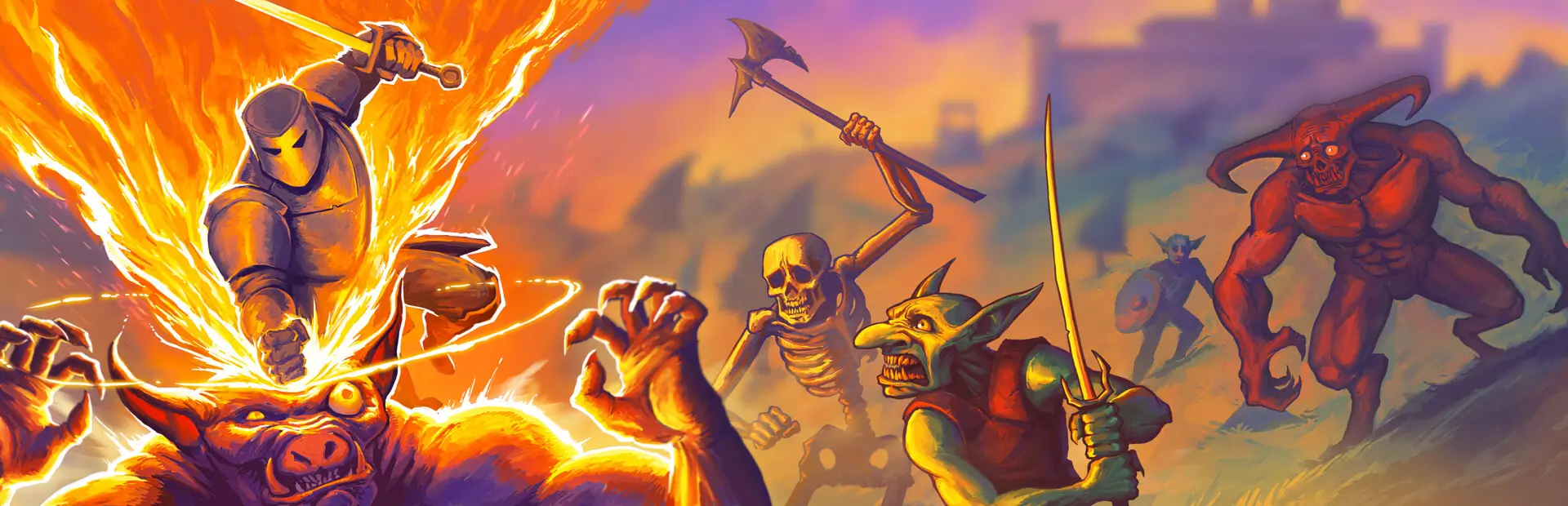

 Мод для Megabonk
от wobblegobble
Ручной огонь с выносливостью и обменом оружием, а также новые обновления магазина (Auto Fire, Stamina, Fire Rate, More Pots, Silver Pots, Auto Pots, Faster Shrines, Slow Timer, More Choices, дополнительные слоты для томов / оружия) и настройки качества жизни.
MoreShopUpgrades — мод для Megabonk (Мегабонк) от автора wobblegobble. Ручной огонь с выносливостью и обменом оружием, а также новые обновления магазина (Auto Fire, Stamina, Fire Rate, More Pots, Silver Pots, Auto Pots, Faster Shrines, Slow Timer, More Choices, дополнительные слоты для томов / оружия) и настройки качества жизни.
Его скачали 1,2 тыс. раз: это 109-е место среди модов Megabonk в нашем каталоге, редкость — «обычный» (нижняя половина по скачиваниям). Мод обновлялся в последний месяц, актуальная версия — 1.4.2.
Для работы ему нужны: BepInExPack IL2CPP.
Текст автора на языке оригинала
New permanent shop upgrades, a manual fire mode with stamina and weapon swap, and quality-of-life tweaks for Megabonk. Built and tested against game version 1.0.69 with BepInEx 6 IL2CPP (be.755).
The mod is two plugins: MorePots (almost everything) and MoreSlots (extra tome and weapon slots). Every feature can be turned off or retuned in the config.
Watch the gameplay video on YouTube
New upgrades keep their levels in this mod's own file, never in your game save.
Upgrade — Levels — Price — What it does
More Pots — 5 — 100 / 200 / 300 / 400 / 500 — Doubles pot spawns per level (2x up to 32x)
Silver Pots — 1 — 50 — Every pot spawns as the game's silver pot (its own model and drop)
Auto Pots — 6 — 200 each — Pots in range break by themselves, and their silver flies to you. Range 4 at level 1, doubling each level (up to 128)
Faster Shrines — 10 — 200 each — Charge shrines fill faster: each level removes 10% of the charge time, and level 10 is instant
Auto Shrine Rewards — 1 — 300 — Charge shrine rewards are picked for you instantly: the highest rarity, or random
Slow Timer — 3 — 50 each — The stage timer runs 2x / 4x / 8x slower. Gameplay speed is unchanged
More Choices — 4 — 200 each — +1 option per level on level-up. The list scrolls
Auto Fire — 1 — 200 — Hold the fire button to keep firing while stamina lasts
Stamina — 10 — 50 (levels 1-4), 100 (5-8), 150 (9-10) — +2 max stamina per level (base 5)
Efficiency — 10 — 50 (levels 1-4), 100 (5-8), 150 (9-10) — Each weapon costs less stamina to fire: -0.1 per level for levels 1-5, then -0.05 per level (from 1 down to 0.25)
Fire Rate — 6 — 50 (levels 1-4), 100 (5-6) — One more fire action per 0.5 s per level (up to 7)
Recharge — 10 — 50 (levels 1-4), 100 (5-8), 150 (9-10) — Stamina refills 0.5 per second faster per level (base 1)
Upgrade — Change
Tome slots — +4 more tome slots (6 total), 135 silver each
Weapon slots — +4 more weapon slots (6 total), 125 silver each
Silver — Retuned: +10% silver per level (instead of +2.5%), and level N costs 50 x N (instead of rising steeply to 442)
On by default: weapons no longer attack on their own. They fire when you press the fire button (left mouse, or R1 / RB on a controller). To get the game's normal auto attacks back, set Enabled = false under [ManualFire] in the config.
PotBreakSound under [WeaponSwap] turns it off).[ / ] in a run, or the Rewind 30s / Skip 30s buttons added to the pause menu.BepInEx/backups//.Описание длинное — здесь его начало. Читать целиком на странице автора
В r2modman ставится автоматически
Файл скачивается с официального сервера Thunderstore, без перезаливов и сторонних установщиков
Подробная инструкция для MegabonkВставьте значок в описание на Thunderstore, в README или в Discord — русскоязычные игроки сразу попадут на страницу с переводом и инструкцией.

[](https://modka.app/megabonk/wobblegobble-moreshopupgrades/)<a href="https://modka.app/megabonk/wobblegobble-moreshopupgrades/"><img src="https://modka.app/badge.png" alt="Описание на русском — Модка" height="44"></a>[url=https://modka.app/megabonk/wobblegobble-moreshopupgrades/]Описание на русском — Модка[/url]Скачайте менеджер модов r2modman (или Gale) и выберите в нём игру Megabonk. Создайте профиль — так моды не смешаются с чистой версией игры. Найдите «MoreShopUpgrades» во вкладке Online и нажмите Download — BepInEx и все зависимости подтянутся сами. Нажмите «Start modded» — игра запустится с модами. Чтобы сыграть без модов, запустите игру как обычно из Steam — r2modman не трогает чистую версию игры.
Файл скачивается с официального сервера Thunderstore, куда его загрузил wobblegobble. Мы не перезаливаем и не изменяем моды.
Установите вместе с ним: BepInExPack IL2CPP. В менеджере модов зависимости подтягиваются автоматически.
24 октября 2026, актуальная версия — 1.4.2. Дата берётся с официальной страницы мода при каждом обновлении каталога.
Все-в-одном меню мод Megabonk (F1) с 16 горячими функциями. Загрузки на лидборде жестко блокируются для безопасности.

Онлайн-кооператив для Megabonk (до 4 игроков через Steam): общие враги, боссы, этапы, реанимации. Работа продолжается.

Разблокирует весь контент в Megabonk - предметы, оружие, тома и персонажи

Бесшовный многопользовательский мод P2P для Megabonk с использованием Steamworks.
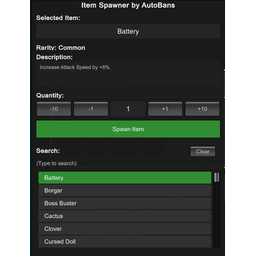
Спаунер предметов для Megabonk, позволяющий нереститься в любом предмете в игре, кроме оружия/домов.

Новый персонаж для MegaBonk, Cow-Noichi! Пользовательская статистика, анимация, оружие и модель.