InGame Card Creator
A BepInEx plugin that allows for the creation of custom cards in-game. Click the backroom door handle to enter the card creator mode. Cards and artwork are exported to the plugins/IGCCExports folder.

 Мод для Inscryption
от MADH95Mods
A mod made for Incryption to create custom cards, sigils, starter decks, tribes, encounters, items, regions, masks, talking cards, languages, gramophone tracks, and more using JSON files.
JSONCardLoader — мод для Inscryption (Инскрипшн) от автора MADH95Mods. A mod made for Incryption to create custom cards, sigils, starter decks, tribes, encounters, items, regions, masks, talking cards, languages, gramophone tracks, and more using JSON files.
Его скачали 205,7 тыс. раз: это 6-е место среди модов Inscryption в нашем каталоге, редкость — «легендарный» (топ-5% по скачиваниям). Мод обновлялся в последние полгода, актуальная версия — 2.7.2.
Для работы ему нужны: MonoMod Loader Inscryption, BepInExPack Inscryption, API.
Текст автора на языке оригинала
This is a mod made for Incryption to create custom cards, sigils, starter decks, tribes, encounters and more using JSON files.
Version 2.0 of this mod is designed to create full compatibility with Version 2.0+ of the API. JSON files compatible with this API will have an extension of .JLDR2
As a mod creator using JSONLoader you can press "shift + r" to apply the changes you've made to any jldr2 files without having to restart the game.
You can use this online JSON Schema validator to avoid syntax errors, and make sure the fields are correct in your jldr2 files. Just put the contents of the corresponding schema from the Schema folder located in the JSONLoader files or on the github page in the left hand panel, and the contents of the jldr2 file that you want to validate in the right hand panel. If the json appears to be invalid the website will tell you where the error is and what exactly is wrong.
There is also a GUI based version that is an option, just input a schema in the panel at the bottom of the page and copy the json from the right hand panel when done!
Files go anywhere in the plugins folder, along with the artwork required for said file.
In order to have compatability with mod manager, version 2.0.0 breaks backwards compatability by default. Don't worry though! This mod comes with a backwards compatibility mode that can optionally be turned on. When turned on, all existing .JLDR files will be read in, converted to .JLDR2 files, and dumped back into the folder where the original JLDR was found. However, I cannot guarantee that the version will be 100% correct, especially when it comes to assigning the appropriate prefix to the card (see the first heading below under 'Custom Cards').
If you are a card creator, the best course of action is to set the config option to convert all JLDR files, manually inspect the JLDR2 files generated to ensure they are correct, then publish your mod with a brand new set of JLDR2 files.
For the most part, JLDR2 and JLDR are the same. The key differences are outlined here:
Previously, base game abilities and mod-added abilities were handled differently; they were completely separate parts of the file. Now, base game abilities and mod-added abilities are kept in the same list. Base game abilities are referred to by their enumerated name, such as "Flying" or "Reach." Mod-added abilities are referred to by a combination of the Mod GUID and their name. For example, the "Deathburst" ability from Void's sigil pack (part of the popular "All the Sigils" mod) is referred by the string "ATS.Deathburst"; in this example, "Deathburst" is the name of the ability, and "ATS" is the GUID of the mod.
So to create a card with both Flying and Deathburst, you would do something like the following:
"abilities": [ "Flying", "ATS.Deathburst" ]This holds true for all custom enumerations on a card. In the case of Abilities and Special Abilities, this is very different behaviour from previous versions of JSONLoader. However, all enumerations are treated this way. For example, mod added Traits, Metacategories, special stat icons, etc can all be handled exactly the same way.
Previously, these parameters were set as individual objects on the card. In a JLDR2, they have been "flattened" into the main card definition. The best way to understand this is to see an example:
JLDR
{
    "evolution": {
        "name": "Bear",
        "turnsToEvolve": 1
    },
    "tail": {
        "name": "BearTail",
        "tailLostPortrait": "taillessbear.png"
    },
    "iceCube": {
        "creatureWithin": "FrozenBear"
    }
}
JLDR2
{
    "evolveIntoName": "Bear",
    "evolveTurns": 1,
    "tailName": "BearTail",
    "tailLostPortrait": "taillessbear.png",
    "iceCubeName": "FrozenBear"
}
As you can see, the JLDR2 file has fewer child objects that have to be defined; the evolve, tail, and ice cube parameters are now on the card itself, reducing the overall size of the card file.
To create your own cards you just create a .jldr2 file (written in json) and fill in all the fields you want your card to have (fields you don't include will be defaulted). The name field is required, and the rest are optional with default values (though that would be a boring card). Those fields and their values are specified in the table below. For reference, an example custom card (8 more f\*cking bears_example.jldr2) is included in the Cards folder in this repo.
If you are creating a new card, you need to consider how to name your card so that it does not end up accidentally sharing a name with someone else's card in the future. The accepted way to prevent naming collisions in the community is to prefix the names of your cards with a simple name or code representing your card pack. For example, if you are adding a bunch of cards for Act 3 themed around the all-time classic action movie The Matrix, you might prefix all of your cards with "matrix_" - for example, "matrix_Neo" and "matrix_Trinity." Then, if someone comes along after you and creates a card pack based on mythology and religion, and they also want to create a card called Trinity, they will name their card "myth_Trinity," and we no longer have any issues with having two cards named "Trinity." Note that they can both still be called "Trinity" on the card, but the internal game name is different.
Cards that are loaded via JSONLoader should indicate what their specific prefix is using the modPrefix field. This helps the card loading process recognize that you have properly prefixed your card and aren't simply using snake_case naming for multi-word cards. More spe
Описание длинное — здесь его начало. Читать целиком на странице автора
В r2modman ставится автоматически
131 в каталоге · показаны самые популярные
A BepInEx plugin that allows for the creation of custom cards in-game. Click the backroom door handle to enter the card creator mode. Cards and artwork are exported to the plugins/IGCCExports folder.
A collection of cards and sigils based on real animals and urban legends.
57 new cards for act 1, in the style of the original game
Added some initial decks.

Brought to you by the lovely folks in the Saxby Family. Just for shits and giggles. Now with Over 100 Cards [Thanks for over 5000 downloads, Wow thats something, however this will be one of the last updates.]

Goat-themed Cards and Decks for Act 1, 2 and Kaycee's Mod. Contains more than 30 cards and 3 starting decks
Файл скачивается с официального сервера Thunderstore, без перезаливов и сторонних установщиков
Подробная инструкция для InscryptionВставьте значок в описание на Thunderstore, в README или в Discord — русскоязычные игроки сразу попадут на страницу с переводом и инструкцией.

[](https://modka.app/inscryption/madh95mods-jsoncardloader/)<a href="https://modka.app/inscryption/madh95mods-jsoncardloader/"><img src="https://modka.app/badge.png" alt="Описание на русском — Модка" height="44"></a>[url=https://modka.app/inscryption/madh95mods-jsoncardloader/]Описание на русском — Модка[/url]Скачайте менеджер модов r2modman (или Gale) и выберите в нём игру Inscryption. Создайте профиль — так моды не смешаются с чистой версией игры. Найдите «JSONCardLoader» во вкладке Online и нажмите Download — BepInEx и все зависимости подтянутся сами. Нажмите «Start modded» — игра запустится с модами. Чтобы сыграть без модов, запустите игру как обычно из Steam — r2modman не трогает чистую версию игры.
Файл скачивается с официального сервера Thunderstore, куда его загрузил MADH95Mods. Мы не перезаливаем и не изменяем моды.
Установите вместе с ним: MonoMod Loader Inscryption, BepInExPack Inscryption, API. В менеджере модов зависимости подтягиваются автоматически.
4 октября 2026, актуальная версия — 2.7.2. Дата берётся с официальной страницы мода при каждом обновлении каталога.
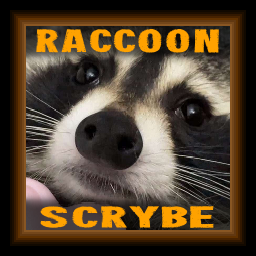
Reskins the Raccoon to be a good boi and replaces Leshy with the Scrybe of Raccoons. Also adds a new Starter Deck, a new Item, 1 new Encounter and a new Item. (Compatible with P03 KCM and Grimora Mod)
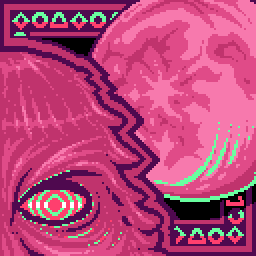
[The Last Update] Adds a new magnificus dungeon crawler based act to the game.
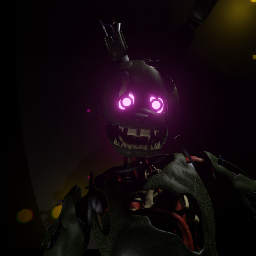
A giant expansion for Act 1 that adds An entire Act themed after Five Nights at Freddys (Fnaf)!

Adds a new region and boss for you to randomly encounter, with dialogue and lots of cool looking stuff.
An expansion for Kaycees Mod that adds Deltarune Characters as cards! ALL CHAPTERS FINALLY AVAILABLE!
Allow you to add either(or both) vanilla or modded sigils into all cards. Supports multiple abilities. Fully configurable at `BepInEx/config/SmileyTeam.AddSigilToAll.cfg`.