
Magnificus Mod
[The Last Update] Adds a new magnificus dungeon crawler based act to the game.

 Мод для Inscryption
от GymMed
A mod that captures GameObject hierarchy and component state to text files. Useful for Debugging with AI.
Unity Explorer Tree Snapshooter — мод для Inscryption (Инскрипшн) от автора GymMed. A mod that captures GameObject hierarchy and component state to text files. Useful for Debugging with AI.
Его скачали 2 тыс. раз: это 267-е место среди модов Inscryption в нашем каталоге, редкость — «обычный» (нижняя половина по скачиваниям). Мод обновлялся в последние полгода, актуальная версия — 0.1.0.
Для работы ему нужны: UnityExplorer.
2 шт · нажмите, чтобы открыть
Текст автора на языке оригинала
UnityExplorer Tree Snapshooter
A mod that captures GameObject hierarchy and component state to text files. Useful for Debugging with AI.
Preview
This mod requires:
InspectorPanel.ConstructPanelContent to add a "Snapshot" button in UnityExplorer's Inspector title barSnapShooterPanel with:Game/BepInEx/plugins/The snapshot output includes:
=== PARENT HIERARCHY ===
Root (InstanceID: 100)
  Level1 (InstanceID: 200)
Player (InstanceID: 300)=== CHILDREN HIERARCHY ===
[0] Player (InstanceID: 300)
[1] Child1 (InstanceID: 301)
[1] Child2 (InstanceID: 302)=== COMPONENTS ===
Transform (InstanceID: 456)
Rigidbody (InstanceID: 789)=== GAME OBJECT REFLECTION (ALL CHILDREN) ---
--- Player (InstanceID: 300) [SELECTED] ---
Transform (InstanceID: 456):
property m_LocalPosition: (0, 0, 0)
property m_LocalRotation: (0, 0, 0, 1)
Rigidbody (InstanceID: 789):
property mass: 1
--- Child1 (InstanceID: 301) ---
Transform (InstanceID: 1001):
property m_LocalPosition: (1, 2, 3)When a field references a GameObject outside the selection, it's marked:
field m_Parent: [OUTSIDE_REFERENCE: InstanceID=999, Type=Transform] ParentNameBy default, snapshots are saved to:
{Mod Location}/Snapshots/TreeSnapShooter_{GameObjectName}_{yyyy-MM-dd_HH-mm-ss}.txtExample:
Game/BepInEx/plugins/UnityExplorerTreeSnapShooter/Snapshots/TreeSnapShooter_Player_2026-03-27_10-30-00.txtUsers can override the save path by entering a custom directory or file path in the input field.
To manually set up, do the following
Game\BepInEx\plugins\UnityExplorerTreeSnapShooter\.BepInEx\plugins\UnityExplorerTreeSnapShooter\ directory you created.Game\BepInEx\plugins\UnityExplorerTreeSnapShooter\UnityExplorerTreeSnapShooter.dllLaunch the game.
В r2modman ставится автоматически
Файл скачивается с официального сервера Thunderstore, без перезаливов и сторонних установщиков
Подробная инструкция для InscryptionВставьте значок в описание на Thunderstore, в README или в Discord — русскоязычные игроки сразу попадут на страницу с переводом и инструкцией.

[](https://modka.app/inscryption/gymmed-unity-explorer-tree-snapshooter/)<a href="https://modka.app/inscryption/gymmed-unity-explorer-tree-snapshooter/"><img src="https://modka.app/badge.png" alt="Описание на русском — Модка" height="44"></a>[url=https://modka.app/inscryption/gymmed-unity-explorer-tree-snapshooter/]Описание на русском — Модка[/url]Скачайте менеджер модов r2modman (или Gale) и выберите в нём игру Inscryption. Создайте профиль — так моды не смешаются с чистой версией игры. Найдите «Unity Explorer Tree Snapshooter» во вкладке Online и нажмите Download — BepInEx и все зависимости подтянутся сами. Нажмите «Start modded» — игра запустится с модами. Чтобы сыграть без модов, запустите игру как обычно из Steam — r2modman не трогает чистую версию игры.
Файл скачивается с официального сервера Thunderstore, куда его загрузил GymMed. Мы не перезаливаем и не изменяем моды.
Установите вместе с ним: UnityExplorer. В менеджере модов зависимости подтягиваются автоматически.
15 июля 2026, актуальная версия — 0.1.0. Дата берётся с официальной страницы мода при каждом обновлении каталога.
[The Last Update] Adds a new magnificus dungeon crawler based act to the game.
15 new Challenges and 6 new Anti-Challenges for Kaycee's Mod. Environments, Pirates, Ouroboros, and more!

Archipelago Multiworld Randomizer integration for Inscryption.

A colossal collection of cards spanning all three major acts of Inscryption- with a particular focus on Act 1 / Kaycee's mod- with plenty of Act 2 and 3 love as well.
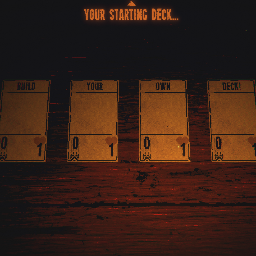
DeckbuilderMod lets you add any number of cards to your starting deck!

A configurable 'unlock everything' mod for Act 1 and Kaycee's Mod.