
PonyMenu
Преемник Меню Кодекса. Позволяет использовать различные команды для тестирования или обмана.
 Мод для Hades II
от Nikos
Эта программа позволяет быстро создавать резервные копии контрольных точек ваших файлов сохранения во время работы. Затем вы можете вернуться в главное меню и загрузить последнюю или выбранную резервную копию и вернуться туда, где вы были. Вы можете сделать столько резервных копий, сколько хотите.
hades 2 Auto Backup — мод для Hades II (Хадес 2) от автора Nikos. Эта программа позволяет быстро создавать резервные копии контрольных точек ваших файлов сохранения во время работы. Затем вы можете вернуться в главное меню и загрузить последнюю или выбранную резервную копию и вернуться туда, где вы были. Вы можете сделать столько резервных копий, сколько хотите.
Его скачали 844 раз: это 126-е место среди модов Hades II в нашем каталоге, редкость — «обычный» (нижняя половина по скачиваниям). Мод обновлялся в течение года, актуальная версия — 1.1.1.
Это библиотека: сама по себе ничего не добавляет, но нужна другим модам.
Текст автора на языке оригинала
NOTE: You do not need to close the game to create or load a backup. You can create one at any time in game, but you need to return to the main menu in order to load.
The app is fully portable, no installation needed, and all its backups, temp files and settings are contained in its folder.
I recommend creating backups before or after entering a room. You can even make a backup while a boss is talking and it will load you in the boss room.
⚠️ IMPORTANT NOTE: On Windows if you extract the archive using standard Windows method, it will have MotW, which means it will not be trusted because it was downloaded from the internet and the executable is not signed. That doesn't mean app is malicious, it's just I couldn't figure out how to make it trusted without buying an expensive signing certificate. You need to click "More info" and then "run anyway" if you want to use the app.
Just delete the folder
No! You do not need to do it nor should you. If you load backup while the game is not running, Steam might ask you which files you want to use, local or cloud. In this case you choose local if you want to use the backup. But I recommend you always use the program while in game for both save and load. This way you will not see any conflicts.
No, it can't corrupt or break your saves. However, you have to be careful when restoring backup since it will override whatever current save file you had. That means, if you create backup, then play further and then restore this old backup, you might lose this new progress. But even in that case, Steam cloud will still have your latest save file and ask if you want to use local or cloud, you can just choose cloud.
Yes! The program keeps backups separate for different profiles, you can tell by P1, P2 etc before the date of backup in the list (see screenshots). This way, you don't have to worry about overriding your save files from a different profile, it will never happen.
Nope.
It will just load you wherever it was last possible.
No, you can just use the Undo Night from the game menu whenever you want.
Normally, game allows you to quit after the fight in a room. The "Quit" button is not grayed out. If you create a backup at this moment, it will work as expected. But sometimes for some reason I don't fully understand, even after fight is finished and reward collected, button "Quit" is still grayed out which means you can't quit yet and have to move to the next room. If you create backup at this point, then quit and load it, it might roll you little bit back. At the start of the latest room at max. This works basically same as the original game save system, it has nothing to do with backups themselves.
Honestly, I don't have any of those above, but it should work. I just didn't test them.
Файл скачивается с официального сервера Thunderstore, без перезаливов и сторонних установщиков
Подробная инструкция для Hades IIВставьте значок в описание на Thunderstore, в README или в Discord — русскоязычные игроки сразу попадут на страницу с переводом и инструкцией.

[](https://modka.app/hades-ii/nikos-hades-2-auto-backup/)<a href="https://modka.app/hades-ii/nikos-hades-2-auto-backup/"><img src="https://modka.app/badge.png" alt="Описание на русском — Модка" height="44"></a>[url=https://modka.app/hades-ii/nikos-hades-2-auto-backup/]Описание на русском — Модка[/url]Скачайте менеджер модов r2modman (или Gale) и выберите в нём игру Hades II. Создайте профиль — так моды не смешаются с чистой версией игры. Найдите «hades 2 Auto Backup» во вкладке Online и нажмите Download — Hell2Modding и все зависимости подтянутся сами. Нажмите «Start modded» — игра запустится с модами. Чтобы сыграть без модов, запустите игру как обычно из Steam — r2modman не трогает чистую версию игры.
Файл скачивается с официального сервера Thunderstore, куда его загрузил Nikos. Мы не перезаливаем и не изменяем моды.
22 января 2026, актуальная версия — 1.1.1. Дата берётся с официальной страницы мода при каждом обновлении каталога.
Преемник Меню Кодекса. Позволяет использовать различные команды для тестирования или обмана.

Побег из подземного мира первой игры в роли Мелинои. Добавляет все регионы, врагов и боссов из Аида в Аид II - а также новые встречи NPC, заклинания, пророчества, косметику, испытания хаоса и многое другое! Требуется установка Аида.
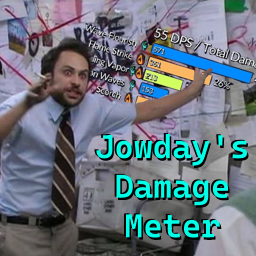
Добавлено несколько счетчиков повреждений. Настройте здоровье Скелли для тестирования новых сборок! Поддерживаются все языки! Использует локализованные имена для большинства типов повреждений (> 95%).

Добавляет музыку из саундтрека Аида в качестве разблокируемых песен в Music Maker.

Добавляет новые наборы аркановых карт, которые можно использовать и обновлять.

Сделайте свою жизнь проще с качеством жизни пони 2, возвращающимся модом из Аида 1.