
Zagreus Journey
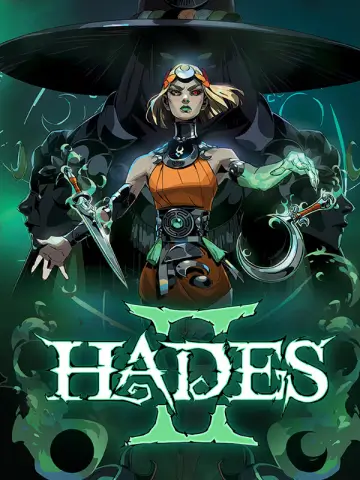
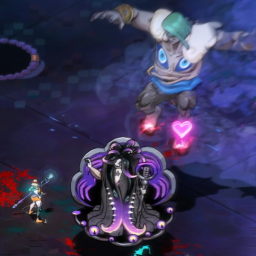
Побег из подземного мира первой игры в роли Мелинои. Добавляет все регионы, врагов и боссов из Аида в Аид II - а также новые встречи NPC, заклинания, пророчества, косметику, испытания хаоса и многое другое! Требуется установка Аида.
 Мод для Hades II
от NikkelM
Библиотека разработчиков упростит добавление новой косметики Crossroads в Hades II. Сам по себе ничего не делает.
Cosmetics API — мод для Hades II (Хадес 2) от автора NikkelM. Библиотека разработчиков упростит добавление новой косметики Crossroads в Hades II. Сам по себе ничего не делает.
Его скачали 18,8 тыс. раз: это 21-е место среди модов Hades II в нашем каталоге, редкость — «эпический» (топ-20% по скачиваниям). Мод обновлялся в последний месяц, актуальная версия — 1.1.5.
Для работы ему нужны: ENVY, ModUtil, ReLoad, Chalk, Hell2Modding, SJSON.
Текст автора на языке оригинала
Developer library to simplify adding new Crossroads cosmetics to Hades II. Does nothing by itself.
Through this library, you can easily add new cosmetic items to the Crossroads, as offered by Dora. You can add alternative versions of any existing cosmetic, both "Alt Decor" and "Extra Decor" items are supported. Adding entirely new cosmetics (in different locations), or replacing assets that aren't already a cosmetic is not supported.
The library will automatically handle grouping cosmetics so that equipping one will unequip any other already equipped cosmetic in the same group. You can provide names, descriptions and flavour texts for various languages, as well as customize the voicelines used when purchasing, equipping or unequipping the cosmetic.
For even more advanced usecases, you can also provide a function name that is called when your cosmetic is bought or equipped.
You can also register new Arcana Card Back packs. The API handles shop integration, animation hookup and pagination when the card back selection screen exceeds one page.
Start by adding NikkelM-Cosmetics_API as a dependency in your thunderstore.toml (ensure you use the latest version):
NikkelM-Cosmetics_API = "1.1.4"Next, include the Cosmetics API in your main.lua, alongside other dependencies:
---@module "NikkelM-Cosmetics_API"
CosmeticsAPI = mods["NikkelM-Cosmetics_API"]If your cosmetics use custom textures bundled in .pkg files, you can register those packages so the API loads them when entering the Crossroads. Place your .pkg (and .pkg_manifest) files in your mod's plugins_data folder and call RegisterCrossroadsPackages with a table of package names (without the .pkg extension):
CosmeticsAPI.RegisterCrossroadsPackages({ "AuthorName-ModNameCosmetics" })The API will automatically load all registered packages when the player enters the Crossroads (including the Training Grounds), regardless of which transition is used (DeathAreaRoomTransition, HubPostBountyLoad, or HubPostDreamLoad). Duplicate package names are silently ignored.
You can alternatively also load the packages yourself within your mod code.
Now, you can add a new cosmetic by calling CosmeticsAPI.RegisterCosmetic(cosmeticData), where cosmeticData is of type CosmeticData. If you have your development environment set up correctly, VS Code should offer autocompletion and type hints for this table. Otherwise, you can always refer to the def.lua file in the Cosmetics API source, or the below example, for all available fields.
CosmeticsAPI.RegisterCosmetic({
	-- REQUIRED FIELDS
	Id = _PLUGIN.guid .. "." .. "Cosmetic_Pillars_Chronos",
	-- At least "en" must be provided for Name, Description and FlavorText
	Name = {
		en = "Pillars, Timeless",
		de = "...",
	},
	Description = {
		-- "{$Keywords.CosmeticSwap}:" resolves to "Alt Decor" with a tooltip for something that replaces something, "{$Keywords.CosmeticAltAdd}:" to "Extra Decor" with a tooltip that it adds or replaces something similar, and {$Keywords.CosmeticAdd} resolves to "Extra Decor" for something that did not exist before. You should not need to use CosmeticAdd, since all cosmetics added through the Cosmetics API replace an existing cosmetic.
		en = "{$Keywords.CosmeticSwap}: Time-worn monoliths that stand tall to either side of the {#BoldFormatGraftDark}Cauldron{#Prev}.",
		de = "...",
	},
	FlavorText = {
		en = "Nothing stands the test of time they say, yet these pillars beg to differ.",
		de = "...",
	},
	-- Which of Dora's shop locations to add this cosmetic to. One of "CosmeticsShop_Tent" (Mel's Tent), "CosmeticsShop_Main" (Crossroads Main Grounds & West), "CosmeticsShop_Taverna" (Taverna & Crossroads West), "CosmeticsShop_PreRun" (Training Grounds)
	ShopCategory = "CosmeticsShop_Main",
	-- Which existing cosmetic the new one is a variant of
	CosmeticsGroup = "Cosmetic_CauldronPillars01",
	-- The in-world asset when the cosmetic is equipped
	CosmeticAnimationPath = "AuthorName-ModName\\FolderPath\\Pillars_Chronos",
	-- You can often reuse your animation path asset as an icon if you scale it correctly, though the icon might look grainy and be harder to decipher if the cosmetic is detailed
	IconPath = "AuthorName-ModName\\FolderPath\\Pillars_Chronos_Icon",

	-- OPTIONAL FIELDS (with their defaults)
	AnimationScale = 1,
	AnimationInheritFrom = nil,
	AnimationOffsetX = 0,
	AnimationOffsetY = 0,
	IconScale = 1,
	IconOffsetX = 0,
	IconOffsetY = 0,
	-- Which other cosmetic in the same shop category to insert your new one after, or nil to add to the end
	InsertAfterCosmetic = nil,
	-- Try to limit to a maximum of four resources (including CosmeticsPoints) for optimal display in the UI
	Cost = {
		CosmeticsPoints = 50,
	},
	-- Must be met before the cosmetic becomes available for purchase
	GameStateRequirements = {},
	-- Note: some field validations performed by the API are disabled if you provide this property
	InheritFrom = { "DefaultCosmeticItem" },
	-- If the new cosmetic can show up in the shop as soon as eligible, even if the shop has already been viewed in the current Crossroads session. Otherwise, will show after the next run
	AlwaysRevealImmediately = false,
	-- Overrides where the camera pans when equipping the cosmetic
	CameraFocusId = nil,
	-- At least one of SetAnimationIds or ActivateIds must be provided (or inherited)
	SetAnimationIds = nil,
	ActivateIds = nil,
	DeactivateIds = nil,
	ToggleCollision = nil,
	ActivateFunctionName = nil,
	OnRevealFunctionName = nil,
	PanDuration = 1,
	PreActivationHoldDuration = 0.5,
	PostActivationHoldDuration = 1.5,
	PreRevealVoiceLines = { ... },
	RevealReactionVoiceLines = { ... },
	CosmeticRemovedVoiceLines = { ... },
	CosmeticReEquipVoiceLines = { ... },
	-- If your cosmetic is a new cauldron, you will need to set this to true so the API knows to apply cauldron-specifi
Описание длинное — здесь его начало. Читать целиком на странице автора
В r2modman ставится автоматически
3 в каталоге
Побег из подземного мира первой игры в роли Мелинои. Добавляет все регионы, врагов и боссов из Аида в Аид II - а также новые встречи NPC, заклинания, пророчества, косметику, испытания хаоса и многое другое! Требуется установка Аида.

Добавлены новые аспекты оружия для каждого из шести базовых видов оружия, посвященных юности Мелино.

Мод, который добавляет 2 новых аспекта оружия: Серебряная лопата (AKA NecroMel) и Скрижаль Мира (AKA KirbyMel).
Файл скачивается с официального сервера Thunderstore, без перезаливов и сторонних установщиков
Подробная инструкция для Hades IIВставьте значок в описание на Thunderstore, в README или в Discord — русскоязычные игроки сразу попадут на страницу с переводом и инструкцией.

[](https://modka.app/hades-ii/nikkelm-cosmetics-api/)<a href="https://modka.app/hades-ii/nikkelm-cosmetics-api/"><img src="https://modka.app/badge.png" alt="Описание на русском — Модка" height="44"></a>[url=https://modka.app/hades-ii/nikkelm-cosmetics-api/]Описание на русском — Модка[/url]Скачайте менеджер модов r2modman (или Gale) и выберите в нём игру Hades II. Создайте профиль — так моды не смешаются с чистой версией игры. Найдите «Cosmetics API» во вкладке Online и нажмите Download — Hell2Modding и все зависимости подтянутся сами. Нажмите «Start modded» — игра запустится с модами. Чтобы сыграть без модов, запустите игру как обычно из Steam — r2modman не трогает чистую версию игры.
Файл скачивается с официального сервера Thunderstore, куда его загрузил NikkelM. Мы не перезаливаем и не изменяем моды.
Установите вместе с ним: ENVY, ModUtil, ReLoad, Chalk, Hell2Modding, SJSON. В менеджере модов зависимости подтягиваются автоматически.
17 октября 2026, актуальная версия — 1.1.5. Дата берётся с официальной страницы мода при каждом обновлении каталога.
Побег из подземного мира первой игры в роли Мелинои. Добавляет все регионы, врагов и боссов из Аида в Аид II - а также новые встречи NPC, заклинания, пророчества, косметику, испытания хаоса и многое другое! Требуется установка Аида.
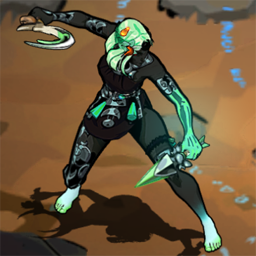
Мод Hades II позволяет выбрать платье для Melinoe из одного из даров Арахна и некоторых пользовательских шкур. Включает обновленные портреты для каждого платья. Варианты добавления фаворитов и рандомизации платья на старте. Включает поддержку кооперативного мода.
Позволяет больше выбора при сборе бонусов и другой добычи.

Integrates TOLk screen-reader into Hades 2
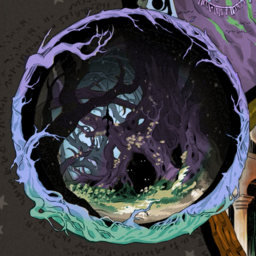
Заменяет карту биома цветной версией ручной работы.
Позволяет нерестить врагов из меню имби