


PonyMenu
Преемник Меню Кодекса. Позволяет использовать различные команды для тестирования или обмана.

 Мод для Hades II
от CrazyPenguin
Argus - это мод Hades II, который поддерживает расширение Argus Twitch. Он покажет вашим зрителям различные детали вашего пробега. Обязательно ознакомьтесь с инструкциями по установке ниже!
Argus — мод для Hades II (Хадес 2) от автора CrazyPenguin. Argus - это мод Hades II, который поддерживает расширение Argus Twitch. Он покажет вашим зрителям различные детали вашего пробега. Обязательно ознакомьтесь с инструкциями по установке ниже!
Его скачали 1,5 тыс. раз: это 91-е место среди модов Hades II в нашем каталоге, редкость — «обычный» (нижняя половина по скачиваниям). Мод обновлялся в течение года, актуальная версия — 1.1.2.
Для работы ему нужны: SJSON, Chalk, ReLoad, ENVY, ModUtil, Hell2Modding.
1 шт · нажмите, чтобы открыть
Текст автора на языке оригинала
NOTE: This mod has been reported to cause rare crashes. We suggest using the standalone app for better stability and performance until the issue gets resolved.
Argus is a Hades II mod that supports the Argus Twitch extension. It will show your viewers various details about your run. May chat never ask you about your fear setup ever again. 🎉
Sends data from your Hades II game to Twitch, displaying the following to your viewers:
Note that the Twitch overlay will not always update instantly. We send updates only when you exit a room during a run. There are no updates in the Crossroads or mid-fight.
See the full list of data that we show to viewers below.
Argus uses Python in the background to communicate with our backend service and ultimately Twitch. This means that you must have the following installed on your machine for Argus to do anything:
requests library for Python. You can install it by opening a terminal (eg. PowerShell on Windows) and doing:pip install requestsWithout these dependencies Argus will just not do anything. It will not cause a crash or make other problems, but it will also not report the issue (for now).
r2modman installed, just find Argus in the list of Hades II mods and install it.You can follow the steps below and check if everything is working properly before going live on Twitch.
Hades II might appear frozen. This is fine - the game does that when it loses focus. After the connection with Argus is established, you can come back to the game.Twitch → Creator Dashboard → Extensions → Discovery, and find it in the extension search. You do not need to configure anything on the Twitch extension for it to start working. The extension configuration page should confirm that the connection step you did previously was successful.Stream Manager tab on Twitch and click on the 👀 icon listed under your Quick Actions. A window will pop up that shows you what your viewers will see as an overlay on your stream. If you want to see things changing, just start a Hades II run and go through one room. The display on Twitch updates whenever you leave a room while doing a run. Note that it will not update in the Crossroads.NOTE: if you ever need to connect a different Twitch account, go to your r2modman profile folder (found under Settings → Browse Profile Folder) and then navigate to: ReturnOfModding\plugins_data\CrazyPenguin-Argus\cache and remove the argus_token.ini file. This will cause a Twitch connection prompt to be shown on your next game start or load of a save.
Some notable things are still invisible to Argus and will hopefully be cleared up in the future. Here is a list of several items we assume you expect to have, but we do not support (yet):
We pray to Hera that Argus gains more insight in the near future and with it the ability to see all of these spicy details, and more. 🙏
As a rule-of-thumb: if the information would be contained in a wiki page, we probably have it. Here is a comprehensive list of things currently observable by Argus:
Описание длинное — здесь его начало. Читать целиком на странице автора
В r2modman ставится автоматически
Файл скачивается с официального сервера Thunderstore, без перезаливов и сторонних установщиков
Подробная инструкция для Hades IIВставьте значок в описание на Thunderstore, в README или в Discord — русскоязычные игроки сразу попадут на страницу с переводом и инструкцией.

[](https://modka.app/hades-ii/crazypenguin-argus/)<a href="https://modka.app/hades-ii/crazypenguin-argus/"><img src="https://modka.app/badge.png" alt="Описание на русском — Модка" height="44"></a>[url=https://modka.app/hades-ii/crazypenguin-argus/]Описание на русском — Модка[/url]Скачайте менеджер модов r2modman (или Gale) и выберите в нём игру Hades II. Создайте профиль — так моды не смешаются с чистой версией игры. Найдите «Argus» во вкладке Online и нажмите Download — Hell2Modding и все зависимости подтянутся сами. Нажмите «Start modded» — игра запустится с модами. Чтобы сыграть без модов, запустите игру как обычно из Steam — r2modman не трогает чистую версию игры.
Файл скачивается с официального сервера Thunderstore, куда его загрузил CrazyPenguin. Мы не перезаливаем и не изменяем моды.
Установите вместе с ним: SJSON, Chalk, ReLoad, ENVY, ModUtil, Hell2Modding. В менеджере модов зависимости подтягиваются автоматически.
22 ноября 2025, актуальная версия — 1.1.2. Дата берётся с официальной страницы мода при каждом обновлении каталога.
Преемник Меню Кодекса. Позволяет использовать различные команды для тестирования или обмана.

Побег из подземного мира первой игры в роли Мелинои. Добавляет все регионы, врагов и боссов из Аида в Аид II - а также новые встречи NPC, заклинания, пророчества, косметику, испытания хаоса и многое другое! Требуется установка Аида.
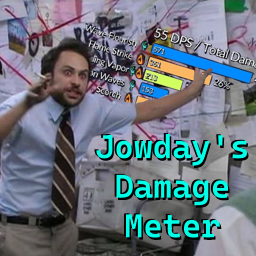
Добавлено несколько счетчиков повреждений. Настройте здоровье Скелли для тестирования новых сборок! Поддерживаются все языки! Использует локализованные имена для большинства типов повреждений (> 95%).

Добавляет музыку из саундтрека Аида в качестве разблокируемых песен в Music Maker.

Добавляет новые наборы аркановых карт, которые можно использовать и обновлять.

Сделайте свою жизнь проще с качеством жизни пони 2, возвращающимся модом из Аида 1.