Начните вводить название — например, MoreHead, Sodium или PEAK

UnityExplorer IL2CPP — иконка
Обложка GTFOМод для GTFO

UnityExplorer IL2CPP

от GTFOModding

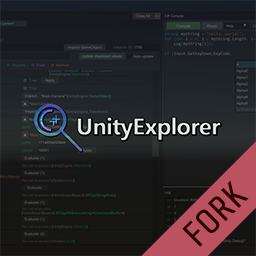
An in-game UI for exploring, debugging and modifying Unity games.

  • Редкий
  • 20,2 тыс. скачиваний
  • Версия 4.9.1
  • Обновлён 2 января 2023
  • Не обновлялся больше года
  • Для разработчиков

О моде UnityExplorer IL2CPP

UnityExplorer IL2CPP — мод для GTFO (ГТФО) от автора GTFOModding. An in-game UI for exploring, debugging and modifying Unity games.

Его скачали 20,2 тыс. раз: это 99-е место среди модов GTFO в нашем каталоге, редкость — «редкий» (топ-50% по скачиваниям). Мод давно не обновлялся — проверьте совместимость с текущей версией игры, актуальная версия — 4.9.1.

Дополнительных модов для работы не требует.

Полное описание UnityExplorer IL2CPP

Текст автора на языке оригинала

UnityExplorer (Forked to support Bleeding Edge BepInEx)

🔍 An in-game UI for exploring, debugging and modifying Unity games. ✔️ Supports most Unity versions from 5.2 to 2021+ (IL2CPP and Mono).

Current GitHub

Original GitHub

Manual install

BepInEx:

  1. Take the UnityExplorer.BIE.[version].dll file and the UniverseLib.[version].dll file and put them in BepInEx\plugins\.

MelonLoader:

  1. Take the UnityExplorer.ML.[version].dll file and put it in the Mods\ folder created by MelonLoader.
  2. Take the UniverseLib.[version].dll file can put it in the UserLibs/ folder created by MelonLoader.

Features

Object Explorer

  • Use the Scene Explorer tab to traverse the active scenes, as well as the DontDestroyOnLoad and HideAndDontSave objects.
  • The "HideAndDontSave" scene contains objects with that flag, as well as Assets and Resources which are not in any scene but behave the same way.
  • You can use the Scene Loader to easily load any of the scenes in the build (may not work for Unity 5.X games)
  • Use the Object Search tab to search for Unity objects (including GameObjects, Components, etc), C# Singletons or Static Classes.
  • Use the UnityObject search to look for any objects which derive from UnityEngine.Object, with optional filters
  • The singleton search will look for any classes with a typical "Instance" field, and check it for a current value. This may cause unexpected behaviour in some IL2CPP games as we cannot distinguish between true properties and field-properties, so some property accessors will be invoked.

Inspector

The inspector is used to see detailed information on objects of any type and manipulate their values, as well as to inspect C# Classes with static reflection.

  • The GameObject Inspector (tab prefix [G]) is used to inspect a GameObject, and to see and manipulate its Transform and Components.
  • You can edit any of the input fields in the inspector (excluding readonly fields) and press Enter to apply your changes. You can also do this to the GameObject path as a way to change the GameObject's parent. Press the Escape key to cancel your edits.
  • note: When inspecting a GameObject with a Canvas, the transform controls may be overridden by the RectTransform anchors.
  • The Reflection Inspectors (tab prefix [R] and [S]) are used for everything else
  • Automatic updating is not enabled by default, and you must press Apply for any changes you make to take effect.
  • Press the ▼ button to expand certain values such as strings, enums, lists, dictionaries, some structs, etc
  • Use the filters at the top to quickly find the members you are looking for
  • For Texture2D, Image, Sprite and Material objects, there is a View Texture` button at the top of the inspector which lets you view the Texture(s) and save them as a PNG file.
  • For AudioClip objects there is a Show Player button which opens an audio player widget. For clips which are loaded as DecompressOnLoad, there is also a button to save them to a .wav file.

C# Console

  • The C# Console uses the Mono.CSharp.Evaluator to define temporary classes or run immediate REPL code.
  • You can execute a script automatically on startup by naming it startup.cs and placing it in the sinai-dev-UnityExplorer\Scripts\ folder (this folder will be created where you placed the DLL file).
  • See the "Help" dropdown in the C# console menu for more detailed information.

Hook Manager

  • The Hooks panel allows you to hook methods at the click of a button for debugging purposes.
  • Simply enter any class and hook the methods you want from the menu.
  • You can edit the source code of the generated hook with the "Edit Hook Source" button. Accepted method names are Prefix (which can return bool or void), Postfix, Finalizer (which can return Exception or void), and Transpiler (which must return IEnumerable). You can define multiple patches if you wish.

Mouse-Inspect

  • The "Mouse Inspect" dropdown in the "Inspector" panel allows you to inspect objects under the mouse.
  • World: uses Physics.Raycast to look for Colliders
  • UI: uses GraphicRaycasters to find UI objects

Freecam

  • UnityExplorer provides a basic Free Camera which you can control with your keyboard and mouse.
  • Unlike all other features of UnityExplorer, you can still use Freecam while UnityExplorer's menu is hidden.
  • Supports using the game's main Camera or a separate custom Camera.
  • See the Freecam panel for further instructions and details.

Clipboard

  • The "Clipboard" panel allows you to see your current paste value, or clear it (resets it to null)
  • Can copy the value from any member in a Reflection Inspector, Enumerable or Dictionary, and from the target of any Inspector tab
  • Can paste values onto any member in a Reflection Inspector
  • Non-parsable arguments in Method/Property Evaluators allow pasting values
  • The C# Console has helper methods Copy(obj) and Paste() for accessing the Clipboard

Settings

  • You can change the settings via the "Options" tab of the menu, or directly from the config file.
  • BepInEx: BepInEx\config\com.sinai.unityexplorer.cfg
  • MelonLoader: UserData\MelonPreferences.cfg
  • Standalone {DLL_location}\sinai-dev-UnityExplorer\config.cfg

Settings

  • You can change the settings via the "Options" tab of the menu, or directly from the config file.

Acknowledgments

Описание длинное — здесь его начало. Читать целиком на странице автора

Как установить UnityExplorer IL2CPP

Файл скачивается с официального сервера Thunderstore, без перезаливов и сторонних установщиков

Подробная инструкция для GTFO
  1. Скачайте менеджер модов r2modman (или Gale) и выберите в нём игру GTFO.
  2. Создайте профиль — так моды не смешаются с чистой версией игры.
  3. Найдите «UnityExplorer IL2CPP» во вкладке Online и нажмите Download — BepInEx и все зависимости подтянутся сами.
  4. Нажмите «Start modded» — игра запустится с модами.
  5. Для мультиплеера всем игрокам нужен одинаковый набор модов: в r2modman профиль можно экспортировать кодом и отправить друзьям.
Вы автор мода? Поставьте ссылку на русское описание

Вставьте значок в описание на Thunderstore, в README или в Discord — русскоязычные игроки сразу попадут на страницу с переводом и инструкцией.

Описание на русском — Модка
Markdown[![Описание на русском — Модка](https://modka.app/badge.png)](https://modka.app/gtfo/gtfomodding-unityexplorer-il2cpp/)
HTML<a href="https://modka.app/gtfo/gtfomodding-unityexplorer-il2cpp/"><img src="https://modka.app/badge.png" alt="Описание на русском — Модка" height="44"></a>
Steam (BBCode)[url=https://modka.app/gtfo/gtfomodding-unityexplorer-il2cpp/]Описание на русском — Модка[/url]

Частые вопросы о UnityExplorer IL2CPP

Как установить UnityExplorer IL2CPP?

Скачайте менеджер модов r2modman (или Gale) и выберите в нём игру GTFO. Создайте профиль — так моды не смешаются с чистой версией игры. Найдите «UnityExplorer IL2CPP» во вкладке Online и нажмите Download — BepInEx и все зависимости подтянутся сами. Нажмите «Start modded» — игра запустится с модами. Для мультиплеера всем игрокам нужен одинаковый набор модов: в r2modman профиль можно экспортировать кодом и отправить друзьям.

Безопасен ли UnityExplorer IL2CPP?

Файл скачивается с официального сервера Thunderstore, куда его загрузил GTFOModding. Мы не перезаливаем и не изменяем моды.

Нужно ли друзьям ставить UnityExplorer IL2CPP?

Автор не указал, клиентский это мод или серверный. Безопаснее, чтобы одинаковый набор модов был у всех игроков в лобби: проще всего поделиться профилем r2modman.

Когда UnityExplorer IL2CPP обновлялся последний раз?

2 января 2023, актуальная версия — 4.9.1. Это больше года назад: перед установкой проверьте, работает ли мод на текущей версии игры.

Похожие моды

Все моды на GTFO
CConsole — иконка

CConsole

CUI-Based Utility Plugin for Rundown Developers

Эпический31,2 тыс.Для разработчиков

AmongDrip — иконка

AmongDrip

:mccaddevious:

Редкий19,3 тыс.Для разработчиков

AdminSystem — иконка

AdminSystem

Admin System For GTFO

Обычный12 тыс.Для разработчиков

ProjectEternal — иконка

ProjectEternal

OBJECTIVE STACK REITERATION UNKNOWN - PROBE DEEPER UNTIL ://ERROR

Легендарный123,7 тыс.Рандауны

Zoersel — иконка

Zoersel

This is an extremely difficult outline.
Эпический63,2 тыс.Рандауны

Fatal Experiment 2 — иконка

Fatal Experiment 2

The ''Deep End'' of GTFO Modded, are you ready? 25 Expeditions. Custom Guns. 150+ Enemy Variants. Team of 4 recommended.

Эпический58,6 тыс.Рандауны