
CheatEnabler
Add various cheat functions while disabling abnormal determinants / 添加一些作弊功能,同时屏蔽异常检测

 Мод для Dyson Sphere Program
от IndexOutOfRange
Добавьте планеты в существующую сохраненную игру (и измените исходные планеты или точку рождения, если вы знаете, что делаете)
DSPAddPlanet — мод для Dyson Sphere Program (Дайсон Сфер Програм) от автора IndexOutOfRange. Добавьте планеты в существующую сохраненную игру (и измените исходные планеты или точку рождения, если вы знаете, что делаете)
Его скачали 8,9 тыс. раз: это 145-е место среди модов Dyson Sphere Program в нашем каталоге, редкость — «обычный» (нижняя половина по скачиваниям). Мод давно не обновлялся — проверьте совместимость с текущей версией игры, актуальная версия — 0.2.3.
Для работы ему нужны: BepInEx.
5 шт · нажмите, чтобы открыть
Текст автора на языке оригинала
For other languages of this README, please refer to
BACKUP YOUR SAVE FILE FIRST
It's currently UNRESTORABLE after using this mod.
And BACKUP YOUR CONFIG FILE if you are already using this mod.
This mod is NOT COMPATIBLE with Galactic Scale 2 and will be DISABLED if launch with Galactic Scale 2.
This mod allows you add new planets to your existing saved games (and modify original planets or birth point if you know what you are doing).
The first time you install this mod and lauch the game, a config file will be generated in your save file directory (see below), then you can edit the config file to add new planets (or modify original planets).
To add or modify planets, you will need some information about original planets in your game, I made a small tool to make it easier to get those information, you can press V to open the star map and click the 'Add Planet' button on the bottom-right corner to open the tool.
In the tool, stars are listed in the left panel, click on it to view info about planets in that star system, include planet's index, orbitIndex, orbitAround, number etc. The current star system is on the top of all.
You can click 'Copy' button on the right to copy the uniqueStarId to your clipboard.
A 'unqiueStarId' is a string composed of an optional save name, cluster string and star name, which can basically uniquely identify a star.
Read 'Config file' section below on how to add planets in the config file.
After finishing editing the config file, exit game, BACKUP YOUR SAVE FILE, then re-launch the game, load the save file you just add planets to.
Then you should be able to see new planets (and modified planets) in your game.
Note that auto-saves have the same name as your last loaded game (though it's not displayed in the menu), so it's fine to use auto-saves.
The config file lies in your game's save file directory, in a sub-directory named 'modData/IndexOutOfRange.DSPAddPlanet', file name 'config.xml'.
For example C:\Users\administrator\Documents\Dyson Sphere Program\Save\modData\IndexOutOfRange.DSPAddPlanet\config.xml
New planets will be added in the same order as they are written in the config file.
For old txt format please to Old README
Since version 0.1.0, the config file has changed to an xml file. It's basic structure is displayed below. Old .txt file can still be read but without new features.
Since version 0.2.0 the config file splitted into two parts: and
Generally, planets' UniqueStarId does not have a 'GameName', these configurations have lower priority but will be applied to any saved game or new game which has the same cluster string and star name, while planets in must have a UniqueStarId with a proper GameName, these configurations have higher priority than planets, but will only be applied to named existing saved games.
Note that if you create a new game and does save it manually, it's GameName and it's auto saves' GameName will be empty, and configurations in will be applied to it.
                    The cluster string
                    The star name


                    The game name of your save file
                    The cluster string
                    The star name

                false
                4
                0
                2
                3
                false
                0
                0
                false
                200
                3600
                3600
                true
                0
                0
                true
                0
                0


                            Accurate
                            10


                            Random
                            100000
                            1
                            0
                            5


                            Default


                Copper
Описание длинное — здесь его начало. Читать целиком на странице автора
В r2modman ставится автоматически
Файл скачивается с официального сервера Thunderstore, без перезаливов и сторонних установщиков
Подробная инструкция для Dyson Sphere ProgramВставьте значок в описание на Thunderstore, в README или в Discord — русскоязычные игроки сразу попадут на страницу с переводом и инструкцией.

[](https://modka.app/dyson-sphere-program/indexoutofrange-dspaddplanet/)<a href="https://modka.app/dyson-sphere-program/indexoutofrange-dspaddplanet/"><img src="https://modka.app/badge.png" alt="Описание на русском — Модка" height="44"></a>[url=https://modka.app/dyson-sphere-program/indexoutofrange-dspaddplanet/]Описание на русском — Модка[/url]Скачайте менеджер модов r2modman (или Gale) и выберите в нём игру Dyson Sphere Program. Создайте профиль — так моды не смешаются с чистой версией игры. Найдите «DSPAddPlanet» во вкладке Online и нажмите Download — BepInEx и все зависимости подтянутся сами. Нажмите «Start modded» — игра запустится с модами. Чтобы сыграть без модов, запустите игру как обычно из Steam — r2modman не трогает чистую версию игры.
Файл скачивается с официального сервера Thunderstore, куда его загрузил IndexOutOfRange. Мы не перезаливаем и не изменяем моды.
Установите вместе с ним: BepInEx. В менеджере модов зависимости подтягиваются автоматически.
26 января 2023, актуальная версия — 0.2.3. Это больше года назад: перед установкой проверьте, работает ли мод на текущей версии игры.
Add various cheat functions while disabling abnormal determinants / 添加一些作弊功能,同时屏蔽异常检测
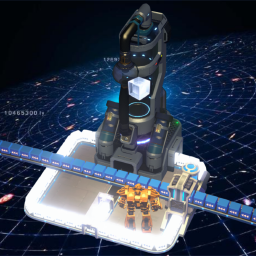
万物皆可分馏,尽情享受分馏的乐趣吧!Everything can be fractionated, have fun with fractionation!
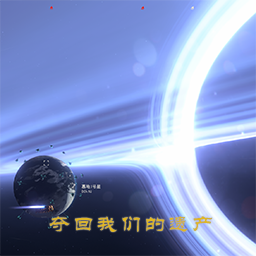
[夺回我们的遗产]想换一个更有挑战性的出生点星球?圣地星系群 + 超重黑洞星系群,资源丰富但充满威胁,添加了几个科技与建筑
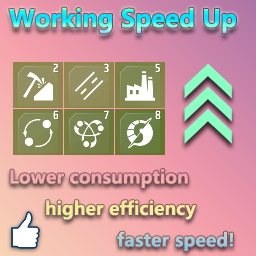
Speed up/overload your machine and make everything work faster! 加速/超载你的机器, 让一切工作变得更快!
v1.1.7 Обновление для GS 2.8.2
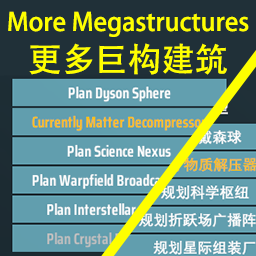
Add 6 new mega structures: Matter Decompressor, Science Nexus, Warpfield Broadcast Array, Interstellar Assembly, Crystal Reconstructor, and Star Cannon. 新增了六种巨构建筑:物质解压器,科学枢纽,折跃场广播阵列,星际组装厂,晶体重构器和恒星炮。