
Move It
Move It 2.10.9 New in 2.10.9: - Updated for game version 1.21.1 - Fixed network segment moving - Removed obsolete Extended Managers Library support This mod allows you to select…

 Мод для Cities: Skylines
от Krzychu1245
Increases in-game frame rate, but... results may vary because there are many factors like CPU/GPU speed, RAM usage, current in-game scene complexity etc. Disclaimer: you need good…
FPS Booster — мод для Cities: Skylines (Сити Скайлайнс) от автора Krzychu1245. Increases in-game frame rate, but... results may vary because there are many factors like CPU/GPU speed, RAM usage, current in-game scene complexity etc. Disclaimer: you need good…
На него подписались 1,8 млн раз в Мастерской Steam: это 22-е место среди модов Cities: Skylines в нашем каталоге, редкость — «эпический» (топ-20% по подпискам). Мод обновлялся в течение года.
Нужны ли ему другие моды, видно на его странице в Мастерской Steam в блоке «Необходимые продукты» — при подписке Steam сам предложит их добавить.
Текст автора на языке оригинала
Disclaimer: you need good and efficient GPU cooling, because this mod may force your GPU run at full speed(laptops/notebooks) - FPS limiter included
FPS Booster includes all patches from Mini FPS Booster.
Each frame, the game updates over 10,000 UI components, most of which don't need updating (thanks to @Egi for proving that!) - FPS Booster prevents the useless updates, which reduces CPU strain and makes the game run faster.
To achieve this, I rename the Update() and LateUpdate() method on the UIComponent base class so Unity Engine will not call them automatically from its update loop.
Patching of core game files is done before Mono runtime initializes Unity Engine.
All modifications to the game files and later mods(incompatible) are performed at runtime in-memory and they cannot be reverted while game is running, due to limitations of assembly loading.
Since everything is done at runtime, files don't have to be recompiled and remain unchanged, so there is no risk of file corruption and the mod can be unsubscribed at any time.
The mod implements few layers of protection against unexpected state, like game update or new DLC - at worst it will load an original(untouched) assemblies and disable itself.
All updates of modified types are performed by custom update loop. Instances of objects are collected in a few different ways depends on type of objects and updated in specific order to prevent rendering issues like lagging behind user input.
At a time of writing this page there was no single mod reported as incompatible.
Built-in Auto-patcher is responsible for scanning every single mod which game is trying to load to find incompatible instructions or constructs which needs to be patched. If something go wrong, patcher will load original file and then report to the user about that, along with information which mod may cause issues(not all incompatibilities can be spotted easily).
Disabling FPS Booster without either unsubscribing or disabling Patch Loader will not disable processing of FPS Booster patches (limitation).
Enabled FPS Booster mod will be trying to subscribe Patch Loader mod automatically if not found.
--noWorkshop or --disableMods game commandline arguments are respected by Patch Loader, which means that patching will be skipped if Steam version of Patch Loader is installed/subscribed.
If you see An critical error occured while patching game! warning after starting the game and FPS Booster was working correctly before, you need to close the game and Steam client completely then start Steam and the game in that order.
If you run the game before Steam client (e.g. using game shortcut) Steam client will interrupt patching and FPS Booster won't work until you restart Steam.
Temporary solution: Always run Steam client first before you run the game.
Temporary solution: Disable Custom Font Manager in the mod options - it will fix the problem I'll try to find better solution.
If you experience a bit longer savegame loading turn off Loading screen cooldown -> reduced fps affects loading speed because game divides loading process into actions per frame -> more FPS, more actions performed in the same timespan
Discord text chat(search for Krzychu124 channel)
Search tags: FPS Booster, FPS_Booster, FPSBooster, fps, boost, improve, frame-rate, framerate, low fps
Мод ставится подпиской в Мастерской Steam — без архивов, перезаливов и сторонних установщиков
Подробная инструкция для Cities: SkylinesВставьте значок в описание на Мастерская Steam, в README или в Discord — русскоязычные игроки сразу попадут на страницу с переводом и инструкцией.

[](https://modka.app/cities-skylines/fps-booster/)<a href="https://modka.app/cities-skylines/fps-booster/"><img src="https://modka.app/badge.png" alt="Описание на русском — Модка" height="44"></a>[url=https://modka.app/cities-skylines/fps-booster/]Описание на русском — Модка[/url]Откройте страницу мода «FPS Booster» в Мастерской Steam (кнопка «Скачать» на нашем сайте ведёт именно туда) и нажмите «Подписаться» — Steam сам скачает мод и будет его обновлять. Если Steam покажет список обязательных модов, подпишитесь и на них — без них мод не заработает. Запустите Cities: Skylines, откройте «Менеджер контента» в главном меню и включите мод на вкладке «Моды» (здания и развязки — на вкладке «Ассеты»). Если мод не появился в игре, откройте вкладку «Загрузки» в Steam и дождитесь, пока он скачается полностью, затем перезапустите игру. Чтобы убрать мод, нажмите «Отписаться» на его странице в Мастерской — Steam удалит его файлы сам.
Мы ничего не перезаливаем: кнопка скачивания открывает официальную страницу мода в Мастерской Steam. Там нужно нажать «Подписаться» — файлы загрузит и будет обновлять сам Steam.
10 марта 2026. Дата берётся с официальной страницы мода при каждом обновлении каталога.
Move It 2.10.9 New in 2.10.9: - Updated for game version 1.21.1 - Fixed network segment moving - Removed obsolete Extended Managers Library support This mod allows you to select…
Improve lane and parking usage. and customise junctions, roads, and rails! This is the stable release with tested features. ⠀⠀⠀⠀⠀⠀⠀⠀User Guide⠀⠀⠀⠀Report Bugs⠀⠀⠀⠀Discord Chat…
Precision Engineering augments Cities: Skylines by adding angle snapping, guidelines and additional information to assist you when building roads, train lines, pipes and power…
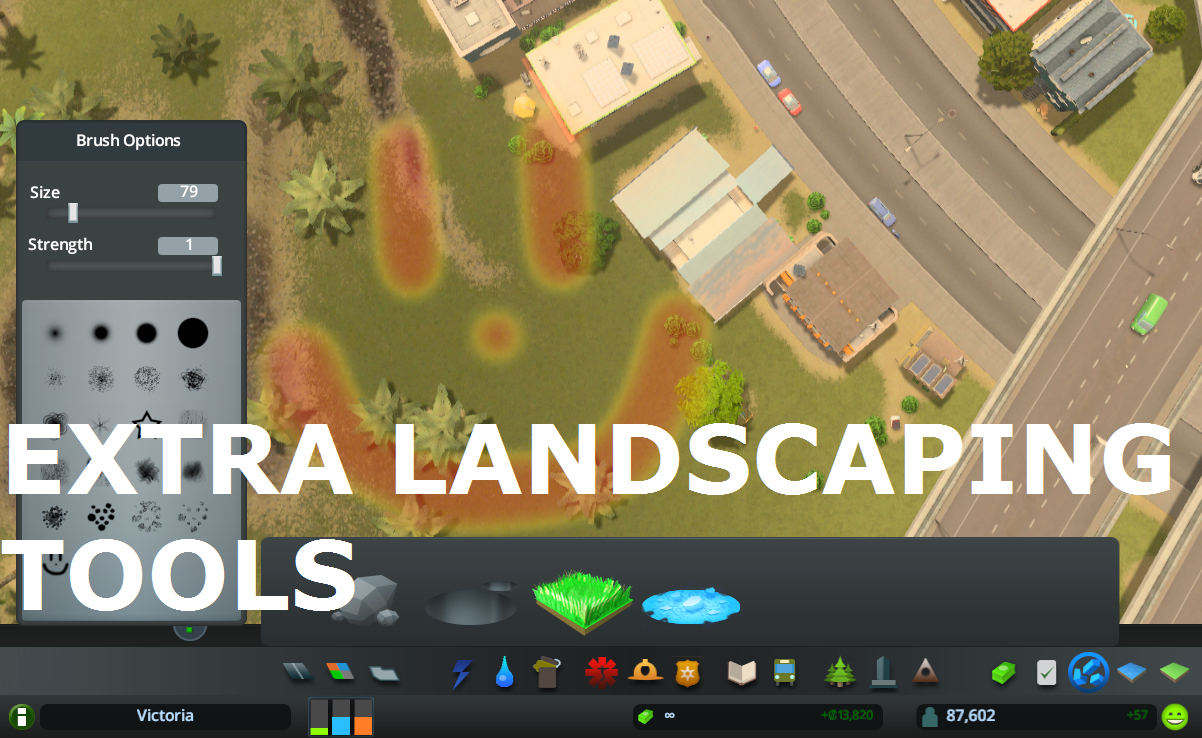
Allows to place natural resources in-game + provides configurable tree brush&pencil, terraform and water tool. Provides some Map Editor tools in-game (like Resources Tool) and…

What it does: All 25 areas can be purchased (in Vanilla only 9 can be purchased). The last Milestone (number 13) allows you to buy area 10 to 25 . Milestones 1-12 remain…
This is for detailing and aesthetics ONLY and WILL NOT tell your traffic where to go. If you want to control traffic, please see Traffic Manager: President Edition. • Harmony 2.0…