
Move It
Move It 2.10.9 New in 2.10.9: - Updated for game version 1.21.1 - Fixed network segment moving - Removed obsolete Extended Managers Library support This mod allows you to select…

 Мод для Cities: Skylines
от Rob
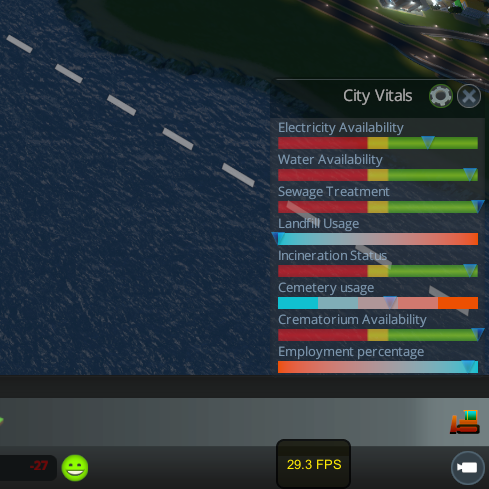
Adds a configurable panel to display vital city stats at a glance. Features - Displays real-time stats on service usage, citizen safety, and more (see full stat list below)…
City Vitals Watch — мод для Cities: Skylines (Сити Скайлайнс) от автора Rob. Adds a configurable panel to display vital city stats at a glance. Features - Displays real-time stats on service usage, citizen safety, and more (see full stat list below)…
На него подписались 1,1 млн раз в Мастерской Steam: это 55-е место среди модов Cities: Skylines в нашем каталоге, редкость — «эпический» (топ-20% по подпискам). Мод давно не обновлялся — проверьте совместимость с текущей версией игры.
Нужны ли ему другие моды, видно на его странице в Мастерской Steam в блоке «Необходимые продукты» — при подписке Steam сам предложит их добавить.
Текст автора на языке оригинала
Adds a configurable panel to display vital city stats at a glance.
Features
Configuration
Use the settings panel to select the stats you want to watch. The gear button opens the settings panel, and closing it saves and applies changes.
Available stats:
Other options:
Latest Updates
Future Update Plans
These are some stretch goals for this mod. As far as my own use is concerned, the panel is feature complete. However, if I ever get some free time after work I will look into adding the following features:
I haven't received a bug report in quite some time, so I consider this mod to be bug free (!) and compatible with all other mods.
Sapphire UI Skins
Unfortunately the incredible Sapphire UI has been abandoned by its author and is no longer compatible with the game. City Vitals Watch was easily skinned so I'll be watching for any future UI skinning framework - let me know if you find one!
FAQ
Q: Does this mod affect save files?
A: No.
Q: My panel is in a weird position off screen and I can't move it. How can I fix it?
A: Go to the main menu or close the game, then delete the file CityVitalsWatchSettings.xml in the game directory to reset the position of the panel and toggle button.
Q: Some of the meters in the panel are invisible. What happened?
A: This sometimes happens when you hide and unhide the UI and is a known issue with the game's UI framework. The workaround is as follows:
Q: Will I ever be able to adjust budget values using this mod?
A: No, but clicking on a label or meter opens the corresponding service menu, and you can use Better Budget to adjust budget values there. You can also move the panel to the side and see the effect of budget changes in real-time with the default budget panel open.
Comments? Requests?
Should I add more stats to the panel? What would you like to see?
Thanks to everyone for the continued support and feedback!
Source Code
It's open source on GitHub. Pull requests are of course welcome!
Мод ставится подпиской в Мастерской Steam — без архивов, перезаливов и сторонних установщиков
Подробная инструкция для Cities: SkylinesВставьте значок в описание на Мастерская Steam, в README или в Discord — русскоязычные игроки сразу попадут на страницу с переводом и инструкцией.

[](https://modka.app/cities-skylines/city-vitals-watch/)<a href="https://modka.app/cities-skylines/city-vitals-watch/"><img src="https://modka.app/badge.png" alt="Описание на русском — Модка" height="44"></a>[url=https://modka.app/cities-skylines/city-vitals-watch/]Описание на русском — Модка[/url]Откройте страницу мода «City Vitals Watch» в Мастерской Steam (кнопка «Скачать» на нашем сайте ведёт именно туда) и нажмите «Подписаться» — Steam сам скачает мод и будет его обновлять. Если Steam покажет список обязательных модов, подпишитесь и на них — без них мод не заработает. Запустите Cities: Skylines, откройте «Менеджер контента» в главном меню и включите мод на вкладке «Моды» (здания и развязки — на вкладке «Ассеты»). Если мод не появился в игре, откройте вкладку «Загрузки» в Steam и дождитесь, пока он скачается полностью, затем перезапустите игру. Чтобы убрать мод, нажмите «Отписаться» на его странице в Мастерской — Steam удалит его файлы сам.
Мы ничего не перезаливаем: кнопка скачивания открывает официальную страницу мода в Мастерской Steam. Там нужно нажать «Подписаться» — файлы загрузит и будет обновлять сам Steam.
7 октября 2015. Это больше года назад: перед установкой проверьте, работает ли мод на текущей версии игры.
Move It 2.10.9 New in 2.10.9: - Updated for game version 1.21.1 - Fixed network segment moving - Removed obsolete Extended Managers Library support This mod allows you to select…

Improve lane and parking usage. and customise junctions, roads, and rails! This is the stable release with tested features. ⠀⠀⠀⠀⠀⠀⠀⠀User Guide⠀⠀⠀⠀Report Bugs⠀⠀⠀⠀Discord Chat…

Precision Engineering augments Cities: Skylines by adding angle snapping, guidelines and additional information to assist you when building roads, train lines, pipes and power…
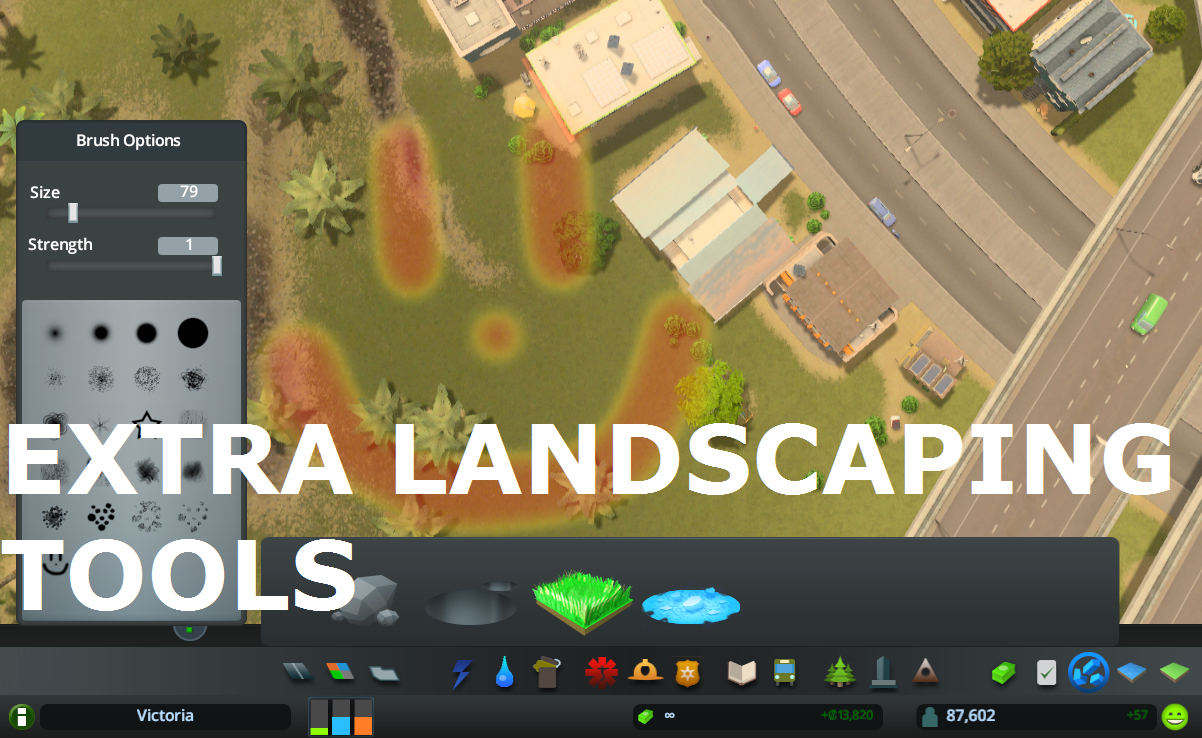
Allows to place natural resources in-game + provides configurable tree brush&pencil, terraform and water tool. Provides some Map Editor tools in-game (like Resources Tool) and…

What it does: All 25 areas can be purchased (in Vanilla only 9 can be purchased). The last Milestone (number 13) allows you to buy area 10 to 25 . Milestones 1-12 remain…
This is for detailing and aesthetics ONLY and WILL NOT tell your traffic where to go. If you want to control traffic, please see Traffic Manager: President Edition. • Harmony 2.0…