
Move It
Move It 2.10.9 New in 2.10.9: - Updated for game version 1.21.1 - Fixed network segment moving - Removed obsolete Extended Managers Library support This mod allows you to select…

 Мод для Cities: Skylines
от algernon
Enables fine-grained control of growable building levels New in 1.3: • Support "true random" selection of building appearance when changing building levels (by default, the game…
Advanced Building Level Control 1.3.4 — мод для Cities: Skylines (Сити Скайлайнс) от автора algernon. Enables fine-grained control of growable building levels New in 1.3: • Support "true random" selection of building appearance when changing building levels (by default, the game…
На него подписались 574,3 тыс. раз в Мастерской Steam: это 225-е место среди модов Cities: Skylines в нашем каталоге, редкость — «обычный» (нижняя половина по подпискам). Мод обновлялся в последние полгода.
Нужны ли ему другие моды, видно на его странице в Мастерской Steam в блоке «Необходимые продукты» — при подписке Steam сам предложит их добавить.
Текст автора на языке оригинала
New in 1.3:
Use district styles, optionally in conjunction with the Building Themes 2 mod, to help manage which buildings can spawn in which districts.
A new district "Level control" panel will appear immediately to the left of the info panel for all districts. Use the dropdown menus to select minimum and maximum levels for each district for both residential and workplace buildings (see above dot points for key notes).
Selecting the 'Random spawn levels' option for a district means that new buildings will spawn with a random level between the minimum and maximum for that district.
The "upgrade" button at the bottom of the district level control panel can be used to force upgrades for all buildings in that district that are below the set minimum level; those buildings will be immediately upgraded directly to the set minimum level.
Buildings in a district won't upgrade beyond the relevant maximum level for that district (existing buildings already above the maximum level will NOT be downgraded, but won't upgrade any further).
The "downgrade" button willl immediately downgrade all relevant buildings to the maximum level set for that district. Buildings already below the district maximum level will remain unchanged.
The "Force historical" button in the district panel will make all the existing buildings in that district historical; the "Clear historical" will remove the historical status of all buildings in that district.
When the "New buildings historical" option is selected for a district, all new buildings (including buildings that have replaced other buildings as part of an upgrade process) will automatically have the 'historical' flag applied.
A new "Level control" panel will appear immediately to the left of the info panel for all eligible growable buildings. This panel won't appear for building types with only one level (e.g. leisure/tourism/organic commercial/IT cluster/resource extractors/processing buildings). Use the dropdown menus to select the minimum and maximum level for that building.
Individual building settings automatically take priority over district settings (this includes both maximum and minimum levels).
The "upgrade" button in the building level control panel will force an upgrade for a particular building. Pressing this will immediately upgrade the building one level. Unlike the district panel button, the building panel "force upgrade" button can upgrade the building beyond of the set maximum level; if this happens, the maximum set level for that building is automatically updated to the new level. This can be used to further fine-tune specific building levels without customising a lot of settings.
The "downgrade" button in the building panel triggers a downgrade of one level for that building; the set minimum level is automatically updated as required to accommodate the new level.
Other options available are a button to randomly select a new model for the building without changing its level, or to toggle abandonment or collapse.
Saves its own data to and from the savefile, but doesn't affect any other save data. Can be safely removed at any time.
This mod u
Описание длинное — здесь его начало. Читать целиком на странице автора
Мод ставится подпиской в Мастерской Steam — без архивов, перезаливов и сторонних установщиков
Подробная инструкция для Cities: SkylinesВставьте значок в описание на Мастерская Steam, в README или в Discord — русскоязычные игроки сразу попадут на страницу с переводом и инструкцией.

[](https://modka.app/cities-skylines/advanced-building-level-control-1-3-4/)<a href="https://modka.app/cities-skylines/advanced-building-level-control-1-3-4/"><img src="https://modka.app/badge.png" alt="Описание на русском — Модка" height="44"></a>[url=https://modka.app/cities-skylines/advanced-building-level-control-1-3-4/]Описание на русском — Модка[/url]Откройте страницу мода «Advanced Building Level Control 1.3.4» в Мастерской Steam (кнопка «Скачать» на нашем сайте ведёт именно туда) и нажмите «Подписаться» — Steam сам скачает мод и будет его обновлять. Если Steam покажет список обязательных модов, подпишитесь и на них — без них мод не заработает. Запустите Cities: Skylines, откройте «Менеджер контента» в главном меню и включите мод на вкладке «Моды» (здания и развязки — на вкладке «Ассеты»). Если мод не появился в игре, откройте вкладку «Загрузки» в Steam и дождитесь, пока он скачается полностью, затем перезапустите игру. Чтобы убрать мод, нажмите «Отписаться» на его странице в Мастерской — Steam удалит его файлы сам.
Мы ничего не перезаливаем: кнопка скачивания открывает официальную страницу мода в Мастерской Steam. Там нужно нажать «Подписаться» — файлы загрузит и будет обновлять сам Steam.
8 июля 2026. Дата берётся с официальной страницы мода при каждом обновлении каталога.
Move It 2.10.9 New in 2.10.9: - Updated for game version 1.21.1 - Fixed network segment moving - Removed obsolete Extended Managers Library support This mod allows you to select…
Improve lane and parking usage. and customise junctions, roads, and rails! This is the stable release with tested features. ⠀⠀⠀⠀⠀⠀⠀⠀User Guide⠀⠀⠀⠀Report Bugs⠀⠀⠀⠀Discord Chat…
Precision Engineering augments Cities: Skylines by adding angle snapping, guidelines and additional information to assist you when building roads, train lines, pipes and power…
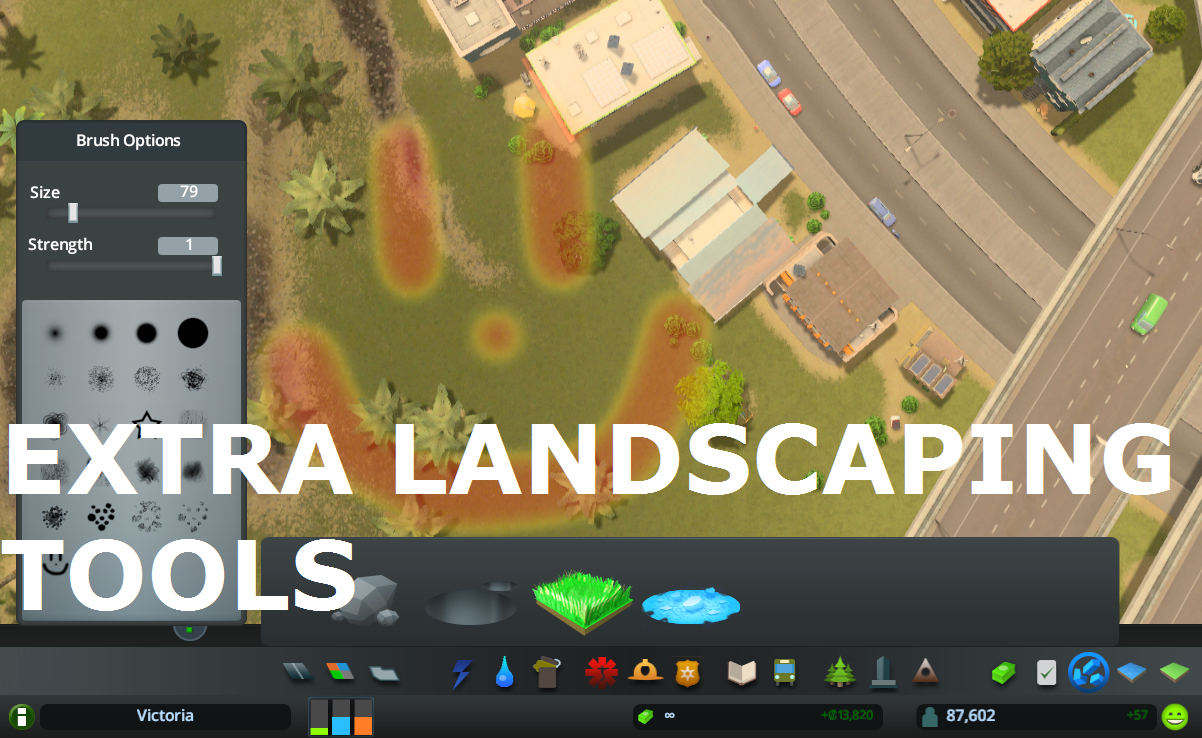
Allows to place natural resources in-game + provides configurable tree brush&pencil, terraform and water tool. Provides some Map Editor tools in-game (like Resources Tool) and…
What it does: All 25 areas can be purchased (in Vanilla only 9 can be purchased). The last Milestone (number 13) allows you to buy area 10 to 25 . Milestones 1-12 remain…
This is for detailing and aesthetics ONLY and WILL NOT tell your traffic where to go. If you want to control traffic, please see Traffic Manager: President Edition. • Harmony 2.0…