FlatPlayerCheck
Don't want to uninstall FlatPlayer every time you want to load into VR? This mod is for you!


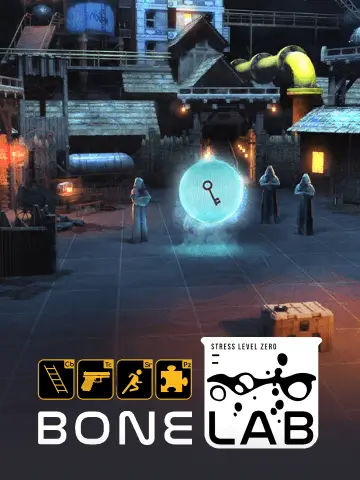 Мод для BONELAB
от LlamasHere
Play BONELAB without a VR headset (or with a 3Dof one whatev)
FlatPlayer — мод для BONELAB (Бонлаб) от автора LlamasHere. Play BONELAB without a VR headset (or with a 3Dof one whatev)
Его скачали 63,5 тыс. раз: это 23-е место среди модов BONELAB в нашем каталоге, редкость — «эпический» (топ-20% по скачиваниям). Мод давно не обновлялся — проверьте совместимость с текущей версией игры, актуальная версия — 2.2.1.
Для работы ему нужны: MelonLoader.
Текст автора на языке оригинала
Flat player mod allow you to run Bonelab without a VR Headset. You can quickly test your mods with it or even play the Game semi-normally. It binds your Input to what should be Oculus controllers so no funny trickery or conflicts with other mods.
Check the changelogs. Currently supports: Patch 6
For support msg me on Discord llamashere
Keep in mind that the game was NOT made for Desktop controls so you will have a hard time doing some actions like climbing ladders and reloading weapons. You may have better luck using the default avatars but no one is stopping you :P
Mods/FlatPlayer.dll into your Mods folder where your game is installed.You don't need to worry about the FlatPlayer.pdb file
Default control scheme until someone complains about it
Action — Keyboard and Mouse — Xbox Controller — PS4/PS5 Controller
Look — Mouse — Right Stick — Right Stick
Move — WASD or Arrows — Left Stick — Left Stick
Jump — Space — A — Cross (X)
Slow Mo — Z Key — Y — Triangle (△)
Crouch — Shift Key — B — Circle (O)
Stand Up (No Bind by default) — - — - — -
Shoot Left — Mouse Left Button — Left Trigger — L2 (Left Trigger)
Shoot Right — Mouse Right Button — Right Trigger — R2 (Right Trigger)
Extend Arms — Mouse Scroll — D-Pad Up & Down — D-Pad Up & Down
Hold Item Left — Q Key — Left Shoulder — L1 (Left Bumper)
Hold Item Right — E Key — Right Shoulder — R1 (Right Bumper)
Radial Menu Left — Tab — Select — Share Button
Radial Menu Right — T Key — Start — Options Button
Unmount gokart — Space — X — Square (□)
Arms Edit Mode — X or C — D-Pad Left or Right — D-Pad Left or Right
Gamepads and Joysticks are supported as long as they are recognized by Unity.Gamepad will use the same relative positions for the buttons.UserData/Flat Player Input.inputactions. More info #Controls RebindingKey — Action
Equal key — Increase Look sensitivity
Minus key — Decrease Look sensitivity
Enter Key — Reset Arms positions
J Key — Reload controls Map and save file
By using Arms Edit Mode you can manually move and rotate your arms. Toggling this will prevent you from moving or looking around
Click the appropriate toggle for your arm and you can move its position by your Move bind, lift it up or lower it with your Jump and crouch and you can rotate it with your Look bind.
To edit your controls just simply
Input System from the Package Manager or Edit > Project Settings > Player and change Active Input Handling to Input System PackageUserData/Flat Player Input.inputactions into your projectEdit Asset button in the InspectorSAVE the assetUserDataI know its tedious but im not building an UI for that.
You can find FlatPlayers preferences in UserData/MelonPreferences.cfg under the [FlatPlayer] category.
Look SensitivityLook motion smoothingAccurateVR is on.В r2modman ставится автоматически
4 в каталоге
Don't want to uninstall FlatPlayer every time you want to load into VR? This mod is for you!
A BONELAB mod that adds several quality-of-life features for FlatPlayer.
Reload any gun you holding by pressing G
Adds extra settings to FlatPlayer
Файл скачивается с официального сервера Thunderstore, без перезаливов и сторонних установщиков
Подробная инструкция для BONELABВставьте значок в описание на Thunderstore, в README или в Discord — русскоязычные игроки сразу попадут на страницу с переводом и инструкцией.

[](https://modka.app/bonelab/llamashere-flatplayer/)<a href="https://modka.app/bonelab/llamashere-flatplayer/"><img src="https://modka.app/badge.png" alt="Описание на русском — Модка" height="44"></a>[url=https://modka.app/bonelab/llamashere-flatplayer/]Описание на русском — Модка[/url]Скачайте менеджер модов r2modman (или Gale) и выберите в нём игру BONELAB. Создайте профиль — так моды не смешаются с чистой версией игры. Найдите «FlatPlayer» во вкладке Online и нажмите Download — MelonLoader и все зависимости подтянутся сами. Нажмите «Start modded» — игра запустится с модами. Чтобы сыграть без модов, запустите игру как обычно из Steam — r2modman не трогает чистую версию игры.
Файл скачивается с официального сервера Thunderstore, куда его загрузил LlamasHere. Мы не перезаливаем и не изменяем моды.
Установите вместе с ним: MelonLoader. В менеджере модов зависимости подтягиваются автоматически.
7 октября 2024, актуальная версия — 2.2.1. Это больше года назад: перед установкой проверьте, работает ли мод на текущей версии игры.

Mod to assist in downloading code mods off Thunderstore in-game
Mod.io subscription integration. (Auto Downloader, Auto Updater, Fusion Lobby Mod Sharing)
Override default avatar stats with values specific to each avatar.
An addon for Fusion which adds extra network layers! Currently adds RiptideNetworking.
See from the ragdoll's perspective when using other player ragdoll mods.
An ammo visualization mod that helps you see how many bullets exist in your magazines.