
ModioModNetworker
Mod.io subscription integration. (Auto Downloader, Auto Updater, Fusion Lobby Mod Sharing)


 Мод для BONELAB
от Lakatrazz
A multiplayer mod for BONELAB, taking advantage of its physical interaction.
Fusion — мод для BONELAB (Бонлаб) от автора Lakatrazz. A multiplayer mod for BONELAB, taking advantage of its physical interaction.
Его скачали 947,4 тыс. раз: это 3-е место среди модов BONELAB в нашем каталоге, редкость — «легендарный» (топ-5% по скачиваниям). Мод обновлялся в последний месяц, актуальная версия — 1.14.3.
Это библиотека: сама по себе ничего не добавляет, но нужна другим модам.
3 шт · нажмите, чтобы открыть
Текст автора на языке оригинала
Having been in development for 5 months, the long awaited multiplayer mod FUSION for BONELAB is here.
You can find the latest installation guide here.
You can access the Fusion menu by clicking on the "Fusion" button in the Preferences menu.
If you did not already install the Fusion Content, clicking this will install it. It will only install correctly if you are logged into mod.io in VoidG114 or BONELAB Hub, so make sure this is the case.
Instead of players and synced props being kinematic, non-physics objects, all interactions are solved using physical forces.
This means you can pick up your friends, throw them, stand on them, push them, and more.
The entire campaign has been ensured completable, with nearly every custom event synced, as well as optimizations made to make the experience run as smoothly as possible.
All platforms are able to crossplay together. In order to do so, you must log in to the same Networking Layer upon opening the menu.
Note that the Meta Quest platform has "Proxy" versions of the PCVR layers, but they will connect to each other just fine.
Fusion has integrated support to allow other mods to implement Fusion compatibility using "Modules". There is an SDK for Unity, allowing you to implement features while in multiplayer, as well as a code SDK in order to create unique synced features. You can find both of these here.
Besides that, Fusion also has integrated gamemodes. The current gamemodes are:
Custom maps can implement these gamemodes, and customize them specifically for their map.
Finally, Fusion has built in cosmetics. Winning gamemodes will earn you Bits to use at the Bitmart. Here, you are able to equip/unequip as well as purchase items such as cosmetics. Other players will be able to see these cosmetics, and you can mix and match as you choose.
As an additional way to earn Bits, you can accomplish various tasks to complete Achievements. There are a large amount of Achievements, each with differing challenge, risk, and reward. Upon completing every achievement, you may even unlock some secret items!
You can view the most recent changes and credits in the in game info box in VoidG114.
You can listen to the Fusion official soundtrack here:
27 в каталоге · показаны самые популярные
Mod.io subscription integration. (Auto Downloader, Auto Updater, Fusion Lobby Mod Sharing)
An addon for Fusion which adds extra network layers! Currently adds RiptideNetworking.

Adds Fusion Syncing for Parzival's SpiderLab mod!

Extended Gamemode library for BONELAB: Fusion
A Code mod for a specific set of avatars that makes them destrucible

Much better looking blood.
Файл скачивается с официального сервера Thunderstore, без перезаливов и сторонних установщиков
Подробная инструкция для BONELABВставьте значок в описание на Thunderstore, в README или в Discord — русскоязычные игроки сразу попадут на страницу с переводом и инструкцией.

[](https://modka.app/bonelab/lakatrazz-fusion/)<a href="https://modka.app/bonelab/lakatrazz-fusion/"><img src="https://modka.app/badge.png" alt="Описание на русском — Модка" height="44"></a>[url=https://modka.app/bonelab/lakatrazz-fusion/]Описание на русском — Модка[/url]Скачайте менеджер модов r2modman (или Gale) и выберите в нём игру BONELAB. Создайте профиль — так моды не смешаются с чистой версией игры. Найдите «Fusion» во вкладке Online и нажмите Download — MelonLoader и все зависимости подтянутся сами. Нажмите «Start modded» — игра запустится с модами. Чтобы сыграть без модов, запустите игру как обычно из Steam — r2modman не трогает чистую версию игры.
Файл скачивается с официального сервера Thunderstore, куда его загрузил Lakatrazz. Мы не перезаливаем и не изменяем моды.
24 октября 2026, актуальная версия — 1.14.3. Дата берётся с официальной страницы мода при каждом обновлении каталога.

A BONELAB mod that brings some graphics settings to Quest Standalone.

Adds a search menu to the spawn menu.
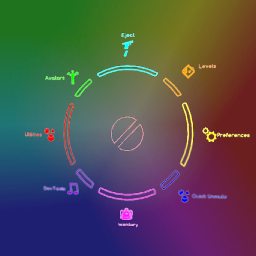
Changes the color of the radial menu and submenus
This mod will no longer be maintained. Simple GodMode function made by me (rz_assembly on discord) that uses BoneLib and BoneMenu.
Spawn downloaded and base-game items from BoneMenu, with keyboard search and short pages. Supports Fusion-synced spawning when Fusion is installed.
Much better looking blood.